Comunicaciones
Wifi instructions
Instructions for simultaneous interpretation
The XXX International Nursing Research Conference will offer a simultaneous interpretation service, allowing attendees to listen to presentations in either Spanish or English, regardless of the speaker’s language.
To use the interpretation service, please follow these steps:
- Download the Zoom app on your mobile phone.
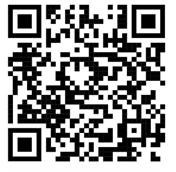
- Scan the QR code located below (you may need to use a QR reader app).
- Zoom will prompt you to enter your name and/or email, or sign in to your account.
- Enter the meeting code we will send you.
- In the bottom menu of Zoom, tap “More” to open the Interpretation menu.
- Under “Language Interpretation,” select your preferred language and turn on “Mute Original Audio.”
- Listen to the presentation using your headphones.